UV Printing vs Screen Printing for Enamel Pins, Keychains, Coins & Badges: Which Is Better?
Choosing the right printing method can make a huge difference in appearance, durability, and cost — whether you’re producing enamel pins, custom keychains, challenge coins, or branded badges. Here’s everything you need to make the right call.
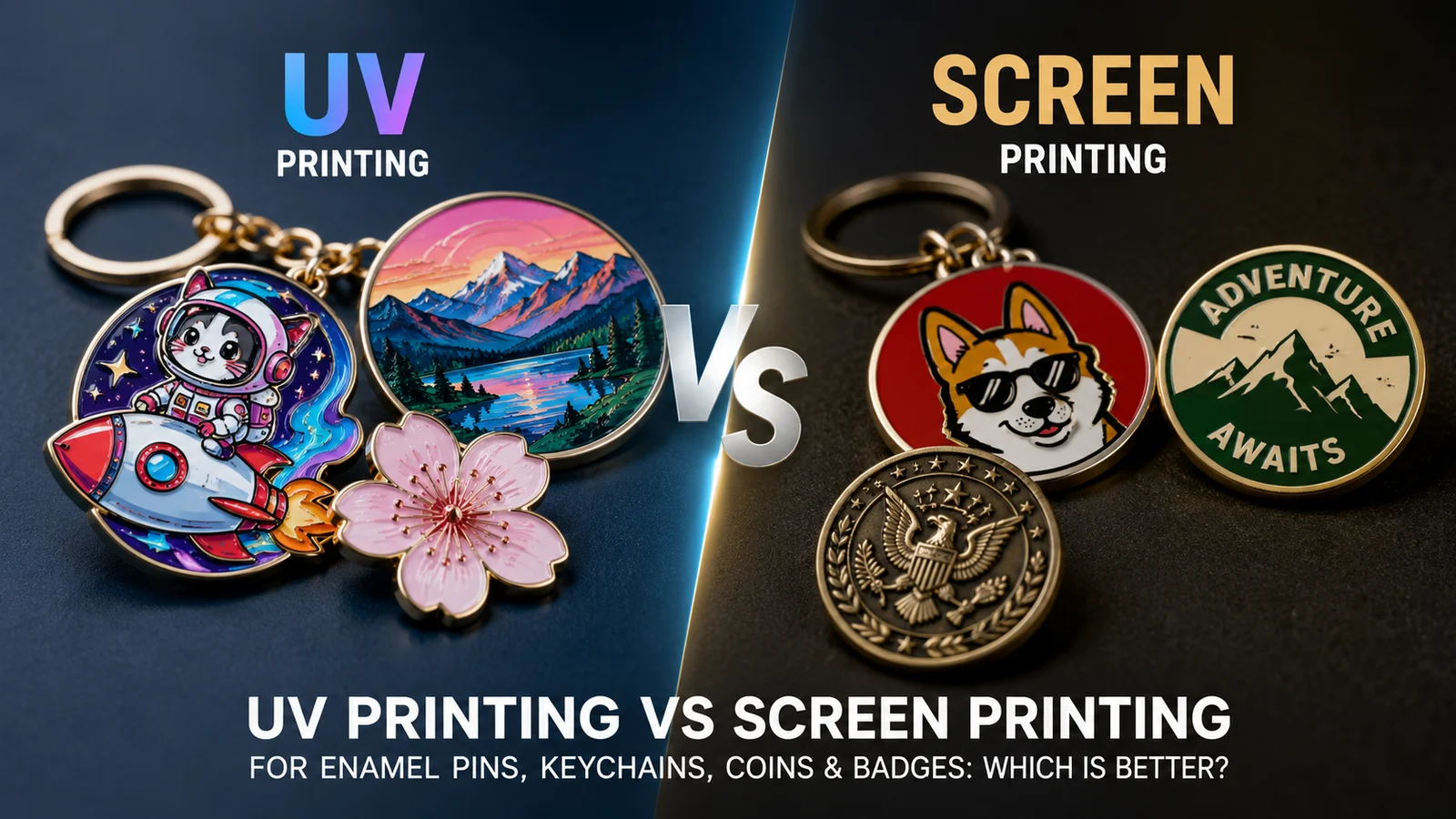
When it comes to custom products — enamel pins, keychains, challenge coins, emblems, and badges — choosing the right printing method is critical. Two of the most widely used options, UV printing and screen printing, each have genuine strengths and important limitations.
There’s no universally “better” method. The right choice depends on your product type, design complexity, order quantity, budget, and how the item will be used. This guide gives you the full picture so you can decide with confidence across every product category.
Digital, Full-Color Precision
- Full-color CMYK — photos, gradients, shadows
- High detail & precision — fine lines, complex artwork
- Ink sits on the surface — slightly raised tactile feel
- UV light instantly cures the ink onto the material
- Works on acrylic, metal, zinc alloy, brass, and more
- No screen setup required — any design, any quantity
Traditional, Bold, Durable
- Solid spot colors — one color per screen pass
- Thicker ink layering — strong tactile presence
- Separate screen per color — setup required upfront
- Pressed through a stencil onto the surface
- Works best on flat, smooth surfaces at high volumes
- Fixed setup cost — better value at large quantities
1 What Is UV Printing?
UV printing (ultraviolet printing) is a digital printing process where specially formulated ink is applied to the surface and immediately cured — hardened — by ultraviolet light. This instant curing means colors are vibrant and crisp right out of production, with no drying time required.
Because UV printing is a digital process, it works directly from your digital artwork file. There’s no screen creation step, no minimum color count, and no penalty for complex gradients or photographic detail. It’s inherently flexible — a single design can be printed on one unit or one thousand with the same setup process.
Key advantages:
- Reproduces full-color photographic quality including gradients, shadows, and fine text
- No setup fee — cost-effective for small runs and single-piece custom orders
- Works on almost any flat or slightly curved surface: acrylic, metal, zinc alloy, brass, wood, plastic
- Fast production with short turnaround times
- Ideal for personalized designs where each unit may differ
UV-printed ink sits slightly raised on the surface, giving a subtle tactile quality to the print. On transparent or clear materials, always add a white base layer beneath your artwork — without it, colors appear faint and washed out against the background.
2 What Is Screen Printing?
Screen printing is a traditional printing method that forces ink through a fine mesh stencil (the “screen”) onto the surface beneath. Each color in the design requires its own dedicated screen, and each screen must be carefully aligned to ensure colors layer correctly. The result is a thick, rich ink layer with a strongly tactile surface feel.
Screen printing has been the standard for bold, durable branded merchandise for decades — and it remains the most economical method for large quantity orders of relatively simple designs. The fixed setup cost (creating and aligning the screens) becomes negligible when spread across hundreds or thousands of units.
Key advantages:
- Produces a thick, durable ink layer that withstands heavy daily use
- Lower per-unit cost at high volumes once setup is amortized
- Bold, solid colors with excellent opacity and consistency
- Ink is more deeply bonded to the surface compared to UV
- Ideal for logos, wordmarks, and simple brand marks
Screen printing cannot reproduce gradients or photographic detail. Each color is a solid, flat application — colors blend only at their physical overlap edges. For designs requiring smooth color transitions, UV printing is the appropriate choice.
3 Side-by-Side Comparison
Here’s a comprehensive feature comparison to help you evaluate both methods against what matters most for your specific project.
| Feature | UV Printing | Screen Printing |
|---|---|---|
| Color capability | Full CMYK — unlimited colors | Spot colors only — 1 screen per color |
| Gradients & photos | ✅ Yes — fully supported | No — solid fills only |
| Fine detail level | High — sharp text, fine lines | Medium — best for bold shapes |
| Cost: small runs (under 200) | Lower — no setup fees | Higher — setup fee per color |
| Cost: bulk orders (500+) | Moderate | Lower — setup amortized |
| Durability | Moderate — can scratch without coating | High — thick ink bonded to surface |
| Ink texture | Slightly raised on surface | Thicker, more pronounced feel |
| Setup time | Fast — no screen creation | Longer — screen creation & alignment |
| Minimum quantity | As low as 1 piece | Typically 100+ to justify setup cost |
| Double-sided printing | Easy — cost-effective | Possible but adds setup complexity |
| Best materials | Acrylic, metal, zinc alloy, brass, wood | Flat smooth surfaces at high volume |
Not sure which method is right for your design? Tell us about your product — our team will recommend the best option for free.
Get a Free Recommendation →4 Which Method for Each Product Type?
The optimal printing method depends not only on design complexity but also on the product itself. Here’s a product‑by‑product guide to help you choose.
Enamel Pins
Enamel pins are traditionally made with metal plating and colored enamel fills. When you need to add detailed printed artwork beyond the enamel — such as a photo, gradient, or fine text — UV printing is the go‑to method. Screen printing is rarely used on enamel pins because the enamel surface isn’t compatible with screen ink adhesion and the fine detail is lost.
→ UV Printing Preferred (Screen printing not recommended)Custom Keychains
For acrylic keychains, UV printing is the standard — it reproduces full‑color artwork with sharp detail. For metal keychains, both methods work: UV is best for complex designs with gradients or photos; screen printing excels for simple logos and bulk orders where durability is key.
→ UV for complex/acrylic → Screen for simple/bulk metalChallenge Coins & Medals
Challenge coins are typically struck (stamped) with raised or recessed details, but adding printed artwork opens up new design possibilities. UV printing is excellent for full‑color images or gradients on the coin’s surface. Screen printing is sometimes used for solid color elements but is less common due to the coin’s curvature and textural surface.
→ UV Printing PreferredEmblems & Badges
Emblems and badges are often made of woven fabric, PVC, or metal with painted details. For metal badges, UV printing delivers photorealistic detail and works well for small quantities. For fabric emblems, screen printing is the traditional choice for bold spot colors and high durability. The choice depends heavily on the substrate.
→ UV for metal/detailed → Screen for fabric/bulk✅ Quick rule: If your product requires photorealistic detail or gradients → UV printing. If it’s a simple logo on a flat surface in high volume → screen printing. For enamel pins and coins, UV is almost always the right choice when printed detail is needed.
5 Design Tips for Better Results
Each printing method has specific design requirements. Following these guidelines ensures your artwork translates accurately from digital file to physical product — and prevents the most common production problems.
- Submit artwork at 300 DPI or higher resolution
- Convert all colors from RGB to CMYK before submitting
- Avoid overly dark designs on dark or black substrates — contrast will be lost
- Add a white base layer beneath your artwork when printing on transparent or clear materials
- Request a digital proof specifically for color accuracy review
- Consider reverse printing (on the back face of clear acrylic) for extra scratch protection
- Simplify your design — fewer colors means fewer screens and lower cost
- Use solid color blocks rather than gradients
- Ensure adequate spacing between design elements to avoid color bleed
- Specify Pantone (PMS) colors for consistent, accurate color matching
- Avoid ultra-thin outlines or very small text — fine detail is not reliably reproduced
- Keep your design within 2–4 colors for the most cost‑effective production
For any custom product, print your design at actual size and evaluate it from arm’s length before submitting. What looks detailed at 100% screen zoom can become unclear and crowded at 1–3 inches in the real world — regardless of the printing method.
6 Common Risks (And How to Avoid Them)
These are the most frequently encountered problems with both printing methods — along with the specific steps to prevent each one before production begins.
Color Mismatch
Risk: Printed colors don’t match your digital design. Common with both methods — UV due to RGB/CMYK differences; screen printing due to color interpretation without Pantone references.
Scratching or Surface Wear (UV)
Risk: UV-printed surfaces can scratch over time with heavy daily use, causing the design to degrade faster than expected.
Misalignment (Screen Printing)
Risk: Individual colors don’t align perfectly across the full production run, creating a blurred or “out of register” appearance.
Overcomplicated Designs for the Wrong Method
Risk: Submitting a gradient‑heavy illustration for screen printing (impossible to reproduce), or submitting a simple 2‑color logo for UV when screen printing would be more cost‑effective and durable.
Unexpected Setup Costs Exceeding Budget
Risk: Screen printing setup fees weren’t accounted for in initial budget planning. For a 4‑color design at a small quantity, screen setup charges can make screen printing significantly more expensive than UV.
7 Pro Tips from Manufacturers
These are the production recommendations that experienced manufacturers wish every buyer knew before placing their first order — tips that consistently produce better outcomes regardless of which printing method you choose.
Always Test Before Scaling
Order a sample or small batch before committing to mass production — especially for a design you haven’t printed before. The cost of one sample is always less than the cost of an unsatisfactory full run. This rule applies to both UV and screen printing, but is especially important for screen printing where setup costs are already committed.
Think About Real‑World Usage
Products that will spend their life on car keys, gym bags, or work lanyards need to withstand significantly more friction and impact than decorative pieces. If your product’s primary purpose is daily practical use, screen printing’s durability advantage is genuinely meaningful and worth the design simplification it requires.
UV Printing Makes Double‑Sided Designs Much Easier
Creating a product with different artwork on each side is far simpler with UV printing — no additional screen creation, no alignment complexity, and no meaningful added cost beyond the printing time.
Consider Combining Both Methods for Premium Products
Some high‑end products use screen printing to create a thick, durable solid color base layer — then UV printing adds detailed full‑color artwork on top. This combination produces a layered effect that neither method achieves alone. It adds cost, but can justify a significantly higher retail price for limited edition or luxury branded products.
Ready to create your custom products? Our team will recommend the best printing method for your design and budget — free quote within 24 hours.
Get My Free Quote →Quick Decision Guide
Use this reference chart to make a fast, informed decision for your specific project — no lengthy analysis required.
Final Verdict
Best for detail, design flexibility, personalization, and small runs. If your artwork is complex, colorful, or includes gradients — UV is almost always the right choice. Pair with epoxy coating for maximum durability.
Best for durability, simplicity, and bulk orders. If you’re producing thousands of units with a clean logo or simple design, screen printing delivers better value and longer‑lasting results.
✅ The bottom line: Neither method is universally superior — they serve different needs. Choose based on your product type, design complexity, and production volume, and when in doubt, ask your manufacturer to recommend the best method for your specific artwork. That conversation costs nothing and prevents the most common and expensive ordering mistakes.
Create Your Custom Products with the Right Method
Tell us your design and goals — our team will recommend UV or screen printing, optimize your artwork, and deliver a fully transparent quote within 24 hours.
Frequently Asked Questions
For enamel pins, UV printing is strongly preferred when you need detailed printed artwork beyond the enamel fills. Screen printing is rarely used on enamel pins because the enamel surface isn’t compatible with screen ink adhesion and the fine detail is lost. UV delivers full‑color photographic quality on the metal surface.
Yes — this is one of UV printing’s primary advantages. UV printing is a CMYK digital process that can fully reproduce gradients, shadows, photographic detail, and any artwork that uses continuous color tones. Screen printing, by contrast, can only apply solid spot colors and cannot reproduce smooth color transitions without multiple overlapping halftone screens, which adds significant complexity and cost.
Screen printing generally provides greater durability for everyday heavy use because the ink layer is thicker and more deeply adhered to the surface. However, challenge coins are often displayed rather than handled daily, so UV printing’s durability is usually sufficient — and it offers far superior visual quality for detailed designs. For coins that will be handled frequently, consider an epoxy coating over UV printing.
For small orders under 100–200 pieces, UV printing is almost always cheaper because there are no screen setup fees. Each color in screen printing requires a separate screen — a fixed setup cost that only becomes economical when spread across large quantities. For bulk orders of 500+, screen printing typically offers a lower per‑unit cost as setup fees become insignificant relative to the volume savings.
For UV printing, submit artwork at 300 DPI or higher resolution. Convert all colors from RGB to CMYK before submitting — RGB colors display differently on screen than they print in CMYK, and without conversion, colors can arrive noticeably shifted. If printing on transparent or clear materials, add a white base layer beneath your artwork to ensure colors appear opaque and vivid.
Yes — some premium products combine both methods for layered effects that neither method achieves alone. Screen printing can create a thick, durable base color or metallic element, while UV printing adds detailed full‑color artwork on top. This combination adds cost but can produce a genuinely distinctive premium result for high‑end limited edition or branded products where the additional investment is justified by a higher retail price.
References & Further Reading
- CreatePins — Get a Free Custom Quote
- CreatePins — The Complete Guide to Custom Keychains
- CreatePins — Why Acrylic Keychains Are So Popular Right Now
- CreatePins — Enamel Pin Design Guide: How to Create Manufacturable Pins
- CreatePins — Best File Formats for Custom Products (AI vs PSD vs PNG)
- CreatePins — How to Order Custom Products: Step‑by‑Step Guide
- CreatePins — Production Expectations & Tolerances
- CreatePins — Quick Guide to Plating Colors for Metal Products
- Raoin — Want More Than Just Custom Pins?