Can You Make an Enamel Pin From a PNG or JPG?
Your beginner-friendly guide to going from PNG to enamel pin or JPG to enamel pin — what manufacturers need, what can go wrong, and how to prepare your image.
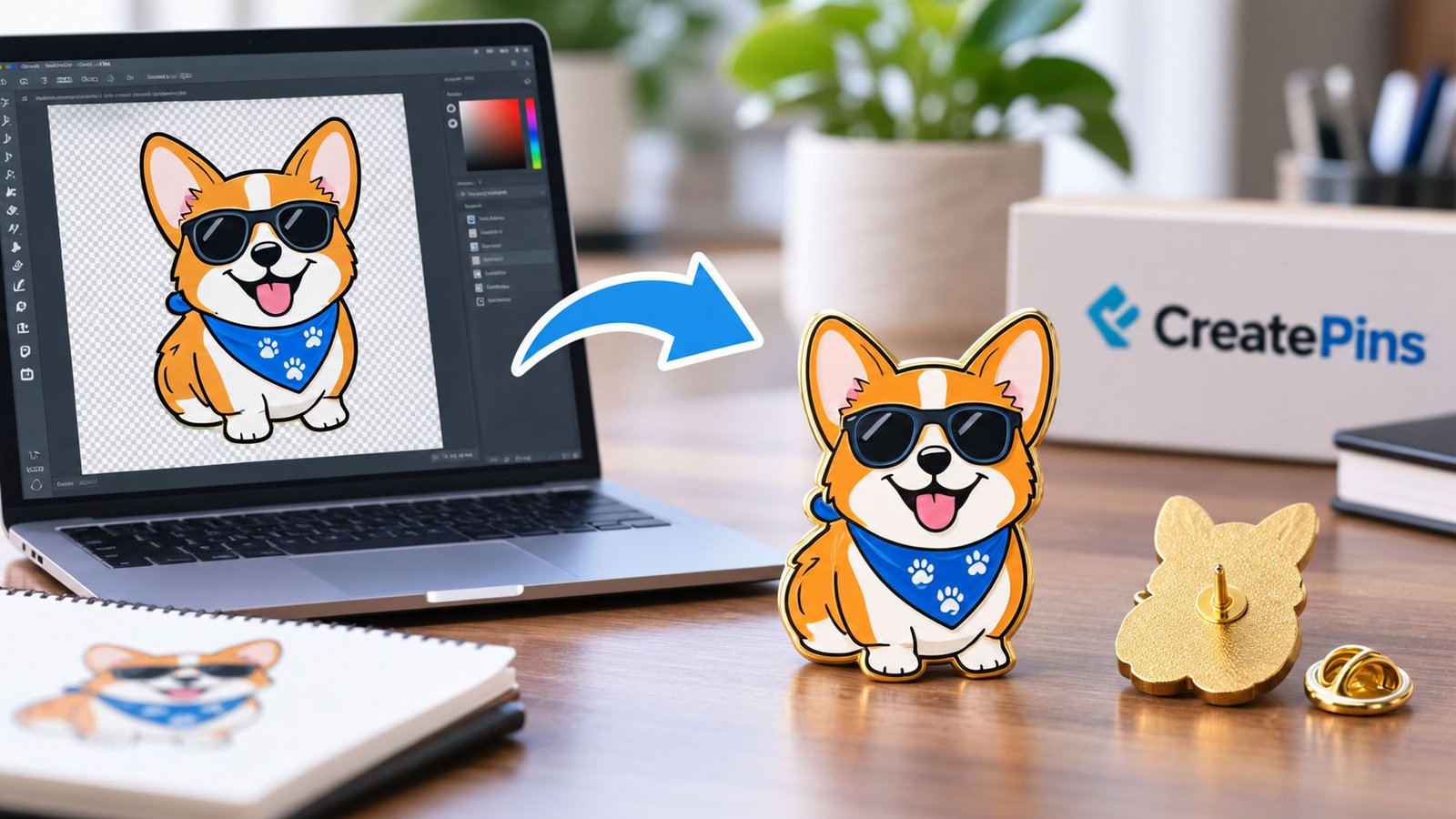
Table of Contents
- Can You Make an Enamel Pin From a PNG or JPG? Yes, Here’s How
- PNG to Enamel Pin vs. JPG to Enamel Pin
- Do You Need a Vector File?
- PNG to Enamel Pin: Using a Logo PNG
- JPG to Enamel Pin: Using a Photo
- How to Convert a PNG or JPG Into a Pin Design
- Resolution to Make an Enamel Pin From PNG Files
- Make an Enamel Pin From JPG at Low Resolution
- Can You Use Gradients?
- What About Tiny Text?
- Can You Use a Screenshot?
- What Should You Send a Manufacturer?
- How to Prepare Your Image Before Ordering
- Can You Make an Enamel Pin From a PNG or JPG With CreatePins?
- Frequently Asked Questions
- Final Takeaway
If you’ve drawn a character, designed a logo, or saved a favorite illustration, you’ve probably wondered: can you make an enamel pin from a PNG or JPG, or do you need professional vector software first? It’s one of the most common questions new pin creators ask, and the answer is encouraging.
Yes, you can. In fact, a PNG to enamel pin order is one of the most common ways custom pin projects begin, and a JPG to enamel pin order works almost as well. However, a PNG or JPG is usually not the final production file. Your manufacturer will normally convert or redraw the artwork into a production-ready format before creating the mold and manufacturing the pin.
That step matters most when your image contains small details, thin lines, gradients, shadows, photographs, or tiny text. This guide explains how to make an enamel pin from PNG artwork, how to make an enamel pin from JPG files, and how to avoid the problems that slow down a first order.
The quick answer: Yes. A manufacturer can use a PNG or JPG as reference artwork, then prepare production artwork from it. At CreatePins, you can start with the image you already have, and our design team helps prepare it for enamel pin production. Whether it is a PNG to enamel pin order or a JPG to enamel pin order, the path is the same.
Can You Make an Enamel Pin From a PNG or JPG? Yes, Here’s How
Yes. A manufacturer can use a PNG or JPG as the reference artwork for a custom enamel pin. The image provides the visual information needed to understand:
- The overall shape of the pin
- Colors and color placement
- Text and lettering
- Logos and illustrations
- Border and metal areas
- Important design details
- Approximate proportions
The key distinction is that a PNG or JPG is an image file, while an enamel pin requires production artwork. The manufacturer must translate the image into a design that can be converted into a metal mold and filled with enamel. For simple artwork, a PNG to enamel pin conversion can be quite straightforward. More complicated artwork may need extra redrawing or simplification.
PNG to Enamel Pin vs. JPG to Enamel Pin: Which Is Better?
Both formats work for a PNG to enamel pin or JPG to enamel pin project, but PNG is usually the better starting file for custom enamel pins. Here’s how the common file types compare:
| File type | Suitable for enamel pin design? | Best use |
|---|---|---|
| PNG | Yes | Logos, illustrations, transparent backgrounds |
| JPG / JPEG | Yes | Reference images and artwork with backgrounds |
| SVG | Excellent | Vector logos and illustrations |
| AI | Excellent | Professional vector artwork |
| EPS | Excellent | Vector production artwork |
| Often excellent | Vector artwork and print-ready designs |
Why PNG Often Wins
PNG files are especially useful when your artwork has a transparent background. A logo saved as a transparent PNG makes it easier for a designer to identify the actual artwork instead of removing a white or colored background. A high-resolution PNG is also much better than a small, compressed image. If you plan to make an enamel pin from PNG artwork, this is the version to send.
Using a JPG
You can also make an enamel pin from JPG artwork. The catch is compression: JPG files can introduce blurry edges or artifacts, and a low-resolution JPG makes it harder to see the exact shape, line thickness, and colors of the original design. If a JPG is all you have, don’t worry. It can still serve as a reference for creating the pin. For a deeper comparison of formats, read our guide to the Best File Formats for Custom Enamel Pins.
Have a PNG or JPG ready? Send it over and we’ll tell you what it needs before production.
Get a Custom Pin QuoteDo You Need a Vector File to Make an Enamel Pin?
No, not necessarily. Vector artwork such as AI, EPS, SVG, or vector PDF is ideal because it scales without losing quality. But a professional manufacturer can often recreate artwork from a high-quality PNG or JPG. For example, a PNG logo downloaded from your website can still be enough to begin the design process.
Why Vector Artwork Is Preferred
Vector artwork is built from mathematically defined lines and shapes rather than fixed pixels. That makes it easier to:
- Resize the design
- Create clean metal borders
- Maintain sharp edges
- Adjust line thickness
- Separate enamel colors
- Prepare artwork for mold production
- Make precise revisions
So AI, EPS, SVG, or vector PDF files are preferred when available, though you can still make an enamel pin from JPG or PNG files. But you shouldn’t have to rebuild your whole design just because you only have a PNG or JPG. For the full technical requirements, see our Enamel Pin Production Specifications guide.
PNG to Enamel Pin: Can You Use a Logo PNG?
Yes. Logo PNG files are excellent starting points. Many businesses, artists, clothing brands, creators, and organizations already have their logos saved as PNGs, which makes a logo PNG to enamel pin project one of the easiest to start. A manufacturer can use the logo to create soft enamel pins, hard enamel pins, die-struck pins, logo lapel pins, promotional pins, and brand merchandise pins.
For any PNG to enamel pin project, the main consideration is the size and complexity of the logo. A logo that looks perfect on a screen may need changes before it becomes a small enamel pin: very thin lines may need to be thickened, tiny text enlarged, and small gaps opened. If you’re unsure which enamel style fits a logo, compare them in Hard Enamel vs. Soft Enamel Pins.
JPG to Enamel Pin: Can You Use a Photo or JPG Image?
Yes, but the process is different. A photograph contains continuous tones, gradients, shadows, textures, and potentially thousands of colors. Traditional enamel pins work better with clearly defined areas of color separated by metal lines, so a photo usually needs to be simplified first:
Original JPG photo → simplified artwork → production proof → mold → enamel pin
For a JPG to enamel pin order, depending on the look you want, a photo may become a stylized illustration rather than an exact copy. If you want a realistic image on a pin, ask about alternative processes or finishes better suited to detailed artwork, such as those covered in UV Printing vs. Screen Printing for Enamel Pins.
How Do You Convert a PNG or JPG Into an Enamel Pin Design?
Whether it’s PNG to enamel pin or JPG to enamel pin, the workflow is the same. Here are the seven steps:
Submit Your PNG or JPG
Send the manufacturer your original artwork. Use the highest-resolution version you have, and avoid sending a screenshot if you can provide the original image.
Decide on the Pin Size
The physical size is extremely important. A design that works at 3 inches may not work at 0.75 inches, and for small pins, details and text may need simplifying. Our Expert Size Guide can help you choose.
Choose the Enamel Pin Type
You may choose between options such as:
- Soft enamel
- Hard enamel
- Die-struck
- Screen printed or printed details
- Different plating finishes
The best choice depends on your artwork and the appearance you want.
Redraw or Convert the Artwork
The manufacturer prepares the artwork for production. This may involve:
- Cleaning edges and redrawing shapes
- Simplifying details and adjusting line thickness
- Separating colors and converting them to production colors
- Removing unsuitable gradients
- Adjusting small text
- Creating the metal border
Review the Digital Proof
Before manufacturing begins, you should receive a production proof. Check the shape, size, colors, text, metal finish, enamel areas, and important details. This is the best moment to request changes, and our Sample Approval Process explains what to look for.
Create the Mold
Once the proof is approved, the production artwork is used to create the mold. The mold defines the metal structure of the pin, including the borders and recessed areas that hold the enamel. Wondering who keeps it afterward? Read Enamel Pin Mold Ownership.
Manufacture the Enamel Pins
The metal is formed, plated, polished or finished as specified, and the enamel colors are applied. The finished pins are then inspected and prepared for shipping.
What Resolution Do You Need to Make an Enamel Pin From PNG Files?
No single resolution guarantees success, but higher-resolution artwork is always preferable. If possible, provide the original file rather than a compressed social-media image or screenshot. For raster artwork, a file at least 1000 pixels wide is generally far more useful than a tiny image, especially when the design contains details.
Resolution isn’t the only factor, though. A 3000-pixel-wide image with extremely thin lines may still be hard to manufacture as a small pin. The physical size of the pin and the complexity of the design matter just as much.
Can You Make an Enamel Pin From JPG Files at Low Resolution?
Don’t assume the design can’t be made. A manufacturer may be able to redraw the artwork manually from the image you have. For example, a 500 × 500 pixel PNG of an old logo can serve as a visual reference, and a designer can recreate it as clean production artwork. If the design contains text, it can sometimes be recreated with a similar or matching font.
Rights check: If the artwork is a copyrighted or trademarked logo or character, make sure you have the appropriate rights or permission to manufacture it. See How to Turn Fan Art into Custom Pins (Legally) for guidance.
Can Gradients Be Used on an Enamel Pin?
Traditional enamel pins generally work best with solid color areas rather than conventional digital gradients. A digital design might fade from dark blue to medium blue to light blue, while a traditional pin may need to represent that with separate enamel colors. Depending on the design, you may be able to use:
- Multiple enamel colors
- Printed details
- Special printing processes
- Shading effects
- Alternative pin production methods
Your manufacturer can recommend the best approach. Colors on screen can also differ slightly from the finished pin, as explained in Why Enamel Pin Colors Look Different From Your Screen Mockup.
Not sure how your design will translate to real enamel? Let our team review it for free.
Explore Design SupportWhat About Tiny Text?
Tiny text is one of the most common problems when converting digital artwork. Text that’s readable on a monitor can become impossible to read on a small physical pin. A line like “ESTABLISHED 2024” may look fine in a large PNG but vanish on a 0.75-inch pin. A production designer may recommend:
- Increasing the text size
- Using a simpler font
- Increasing spacing
- Removing unnecessary text
- Increasing the overall pin size
Always evaluate text at the actual intended pin size. For more detail, read our Enamel Pin Typography Guide.
Can You Make a Pin From a Screenshot?
Yes, a screenshot can sometimes be a starting point, but it’s better to provide the original PNG, JPG, logo, or vector artwork. Screenshots may contain compression, browser elements, incorrect proportions, reduced resolution, backgrounds, anti-aliased edges, or unwanted text and graphics. A screenshot is the weakest starting point for a JPG to enamel pin project, but if it is all you have, send it anyway. A designer may still be able to recreate the artwork from it.
What Should You Send to an Enamel Pin Manufacturer?
For the best result, provide as much original information as possible. Ideally, send:
- Original PNG or JPG
- Vector file, if available
- Original logo file
- Color references
- Desired pin size
- Preferred pin type and metal plating
- Desired backing
- Quantity and any special finishing requirements
You don’t need everything figured out before requesting a quote. A good manufacturer will tell you what additional information is needed. If you want to know what a quote should include, see What Is Included in a Custom Enamel Pin Quote?
How to Prepare Your PNG or JPG Before Ordering
Before you submit your artwork, follow these simple guidelines:
1. Use the original file
Don’t enlarge a tiny social-media image if you can access the original artwork.
2. Remove unnecessary backgrounds
If a white or colored background isn’t part of the pin, provide a version without it when possible.
3. Avoid screenshots
The original artwork gives better information than a screenshot.
4. State the intended size
A 1-inch pin and a 3-inch pin need very different artwork preparation.
5. Flag important details
If a line, word, symbol, or color is essential, tell the manufacturer.
6. Ask for a production proof
Never rely only on the original PNG or JPG. Review the proof before approving the mold.
If you want to visualize the result first, try our guide to making your own custom enamel pin mockup. And if your design gets flagged, Why Can’t My Enamel Pin Design Be Manufactured? covers the 15 most common reasons.
Can You Make an Enamel Pin From a PNG or JPG With CreatePins?
Yes. CreatePins can use a PNG or JPG as the starting point for a custom enamel pin. You don’t need professional vector artwork before contacting us. Our design support can help prepare your artwork for production, including adjustments to line thickness, small details, color areas, text, borders, overall proportions, and production limitations.
We provide free design proofs and revisions so you can review the proposed design before production. For larger or more complex projects, you can also discuss sampling before committing to the full run.
Start With the Artwork You Have
If you only have a PNG or JPG, don’t spend hours recreating your artwork in Illustrator before requesting a quote. Send the original image, tell us the approximate pin size and quantity, and we can determine how to prepare it. New to the process? Our First-Time Pin Creators Guide and Step-by-Step Ordering Guide walk you through everything.
📌 Further reading from our blog
Frequently Asked Questions
Can you make an enamel pin from a PNG or JPG?
Yes. PNG and JPG files are among the most common starting points for custom enamel pins. The manufacturer converts the image into production-ready artwork before making the mold.
Can I make an enamel pin from PNG files?
Yes. A PNG can be used as the starting artwork for a custom enamel pin. The manufacturer may need to redraw or convert it into production-ready artwork before making the mold.
Can I make an enamel pin from JPG files?
Yes. A JPG can also be used as reference artwork. A high-resolution original JPG is preferable to a screenshot or compressed image.
Do I need an AI or SVG file for an enamel pin?
No. Vector files such as AI and SVG are preferred because they provide clean, scalable artwork, but they are not always required. A manufacturer can often recreate artwork from a PNG or JPG.
What is the best file format for enamel pin artwork?
AI, EPS, SVG, and vector PDF files are excellent for production. High-resolution PNG files are also very useful, especially for logos and illustrations.
Can a photo be turned into an enamel pin?
Yes, but photographs usually need to be simplified or converted into a stylized design because traditional enamel pins work best with defined color areas and metal borders.
Can you make an enamel pin from a low-resolution image?
Often, yes. A designer may be able to manually redraw the artwork. However, having the original high-resolution file will usually produce a more accurate result.
Can gradients be used on enamel pins?
Traditional enamel generally works best with solid color areas. Gradients may need to be recreated using multiple colors, shading techniques, printing, or another production method.
How large should an enamel pin be?
There is no universal size. The right size depends on the artwork and the amount of detail. More detailed designs generally need a larger physical size to remain readable and manufacturable.
Can small text be used on an enamel pin?
Small text can be challenging. If lettering is important, the manufacturer may recommend increasing the pin size, simplifying the font, or removing very small text.
Do I have to convert my PNG to vector artwork myself?
No. If you don’t have vector artwork, provide your PNG or JPG to the manufacturer and ask whether their design team can prepare it for production.
Final Takeaway
Can you make an enamel pin from a PNG or JPG? Yes. You don’t necessarily need an AI, EPS, or SVG file to get started. The important thing is to provide the best-quality artwork you have and tell the manufacturer the intended pin size, quantity, and desired finish. The manufacturer can then decide whether the artwork can be used as-is or needs to be redrawn, simplified, or converted into production-ready artwork.
For the best results, remember the path: PNG/JPG → artwork preparation → production proof → mold → enamel pin.
Ready to Make an Enamel Pin From PNG or JPG Artwork?
Send us the image you already have. We’ll review it, prepare it for production, and send a free design proof.